Pay For Police Clearance Using GCash Online

The PNP only allows online payment for Police clearance online appointment, and over-the-counter payment is not allowed. Online payment via GCash is one of the best payment options. To pay for police clearance via GCash, book an appointment, choose GCash as a payment option, enter your details, and submit them. You will get a payment receipt on successful payment. Below, I have provided a detailed payment tutorial in an easy way.
Philippine National Police
Clearance Payment Method Selector
Select your payment method for the step-by-step guide
How To Pay For Police Clearance via GCash?
Here is the step-by-step guide to pay for an online appointment using GCash. The payment method is the same for every type of clearance.
- First of all, visit the PNP official website and log in to your account.
- Now, click on the “Clearance application” option.
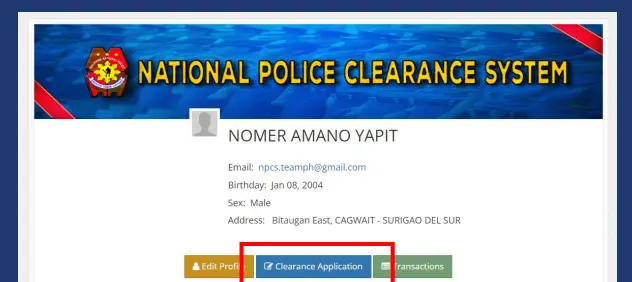
- You will get the details about the appointment you booked. Double-check the details and click the “Next” for further processing.
- Now you will get an option for payment.
- Click on the “Pay via Land Bank” and then scroll down and click next.
- Scroll to the bottom of the page and click on the “save appointment” button.
- You will get your appointment details and reference number. Click on the “More payment option” button given on the left side.
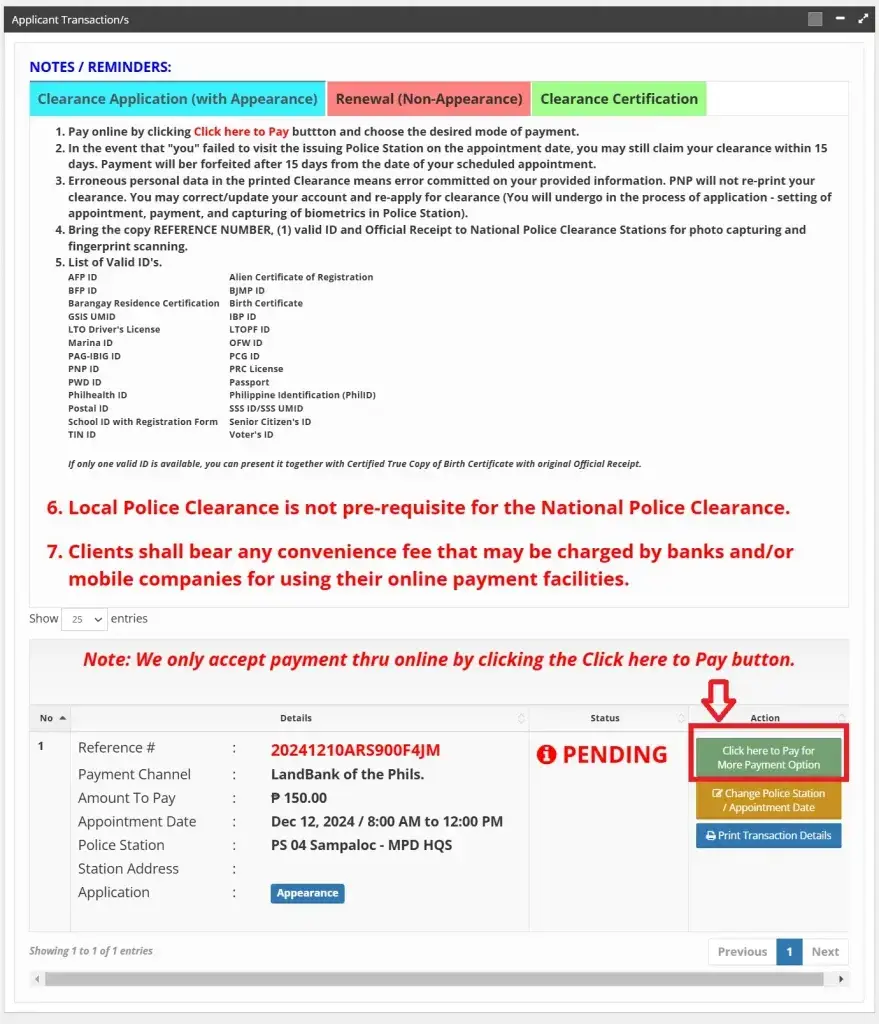
- Scroll down and select GCash from the payment options.
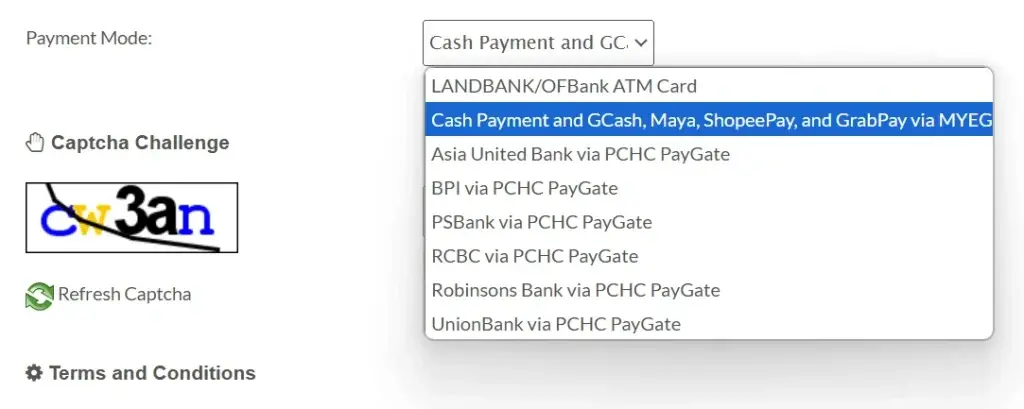
- Solve the captcha, agree to the terms and conditions, and click next.
- Select GCash from the available options and then fill in the payment details carefully. Once done, click on the proceed button for further processing.
- Click on open GCash and then the pay option given at the bottom of the page.
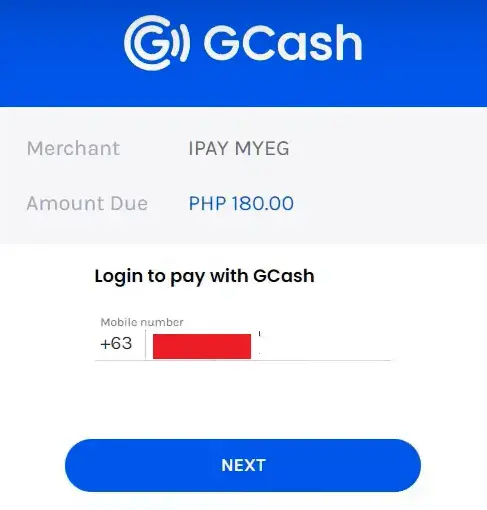
- Finally, click on the proceed button, and you are done. You will get a payment receipt as proof of payment. If you want another payment option, check our guide on police clearance payment through LandBank.
Benefits Of Payment Via GCash
GCash is one of the most popular and best methods for online payment of clearance fees. Here are the top five benefits of paying the fee using GCash:
Other Options For Payment
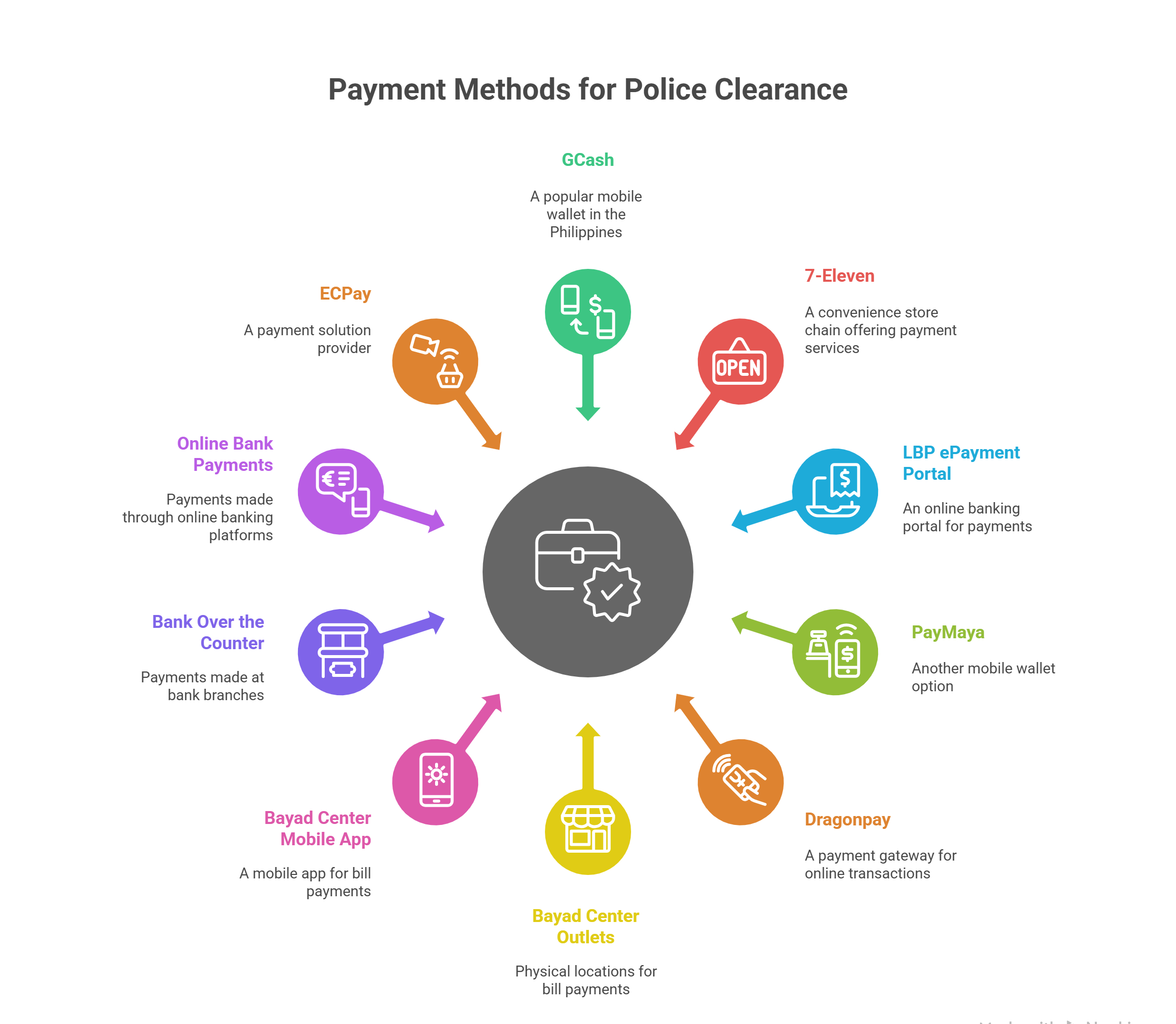
Not only GCash, but the PNP also offers various other payment methods for online payment. Here is the complete list of payment methods:
- 7-Eleven
- Land Bank of the Philippines (LBP) ePayment Portal
- PayMaya
- Dragonpay
- Bayad Center Outlets
- Bayad Center Mobile App
- Bank Over the Counter (BDO, BPI, PNB, Chinabank, Metrobank, Security Bank, Union Bank)
- Online Bank Payments
- ECPay
Each payment method provides a reference or confirmation receipt required for your police clearance appointment.
FAQs
Conclusion
Paying for police clearance via GCash is easy and secure. Simply book your appointment on the PNP website, select GCash as your payment option, and follow the steps to complete payment. This method keeps transactions safe and hassle-free, helping you focus on meeting other requirements smoothly.