
Reschedule Police Clearance Appointment | Complete Guide

If your schedule has changed and you think you may miss your Police Clearance appointment, there’s no need to book a new application. You can easily reschedule your Police Clearance appointment online by logging into your PNP account and changing your appointment date or even your preferred police station in just a few minutes.
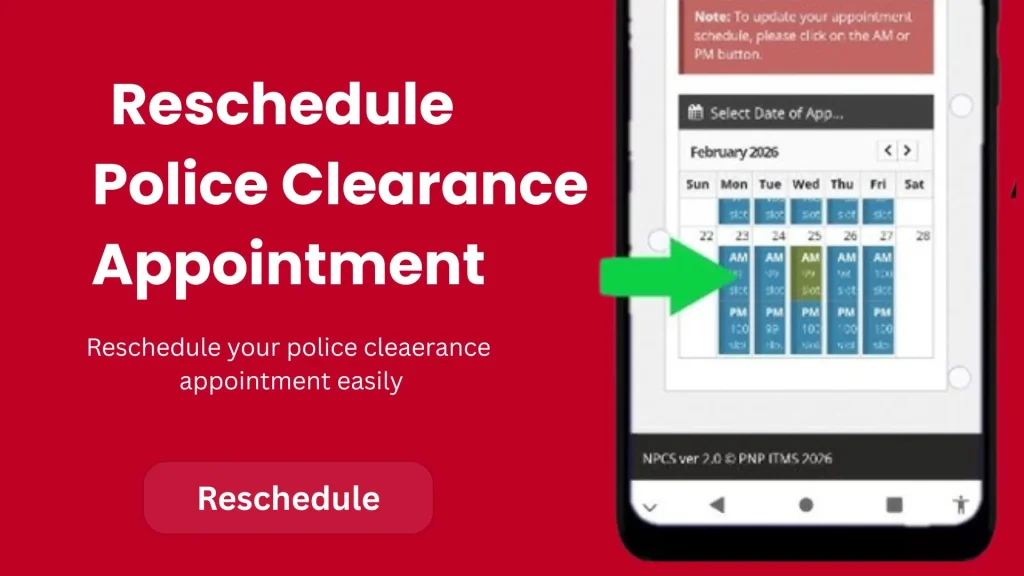
How to reschedule police clearance appointment online

When To Reschedule Police Clearance Appointment?

You should reschedule your Police Clearance appointment as soon as you know you won’t be able to attend on the selected date. Updating your schedule in advance helps you avoid missing your appointment and lets you choose another available date and police station that better fits your availability. If you want a new Police Clearance online appointment, visit this page.
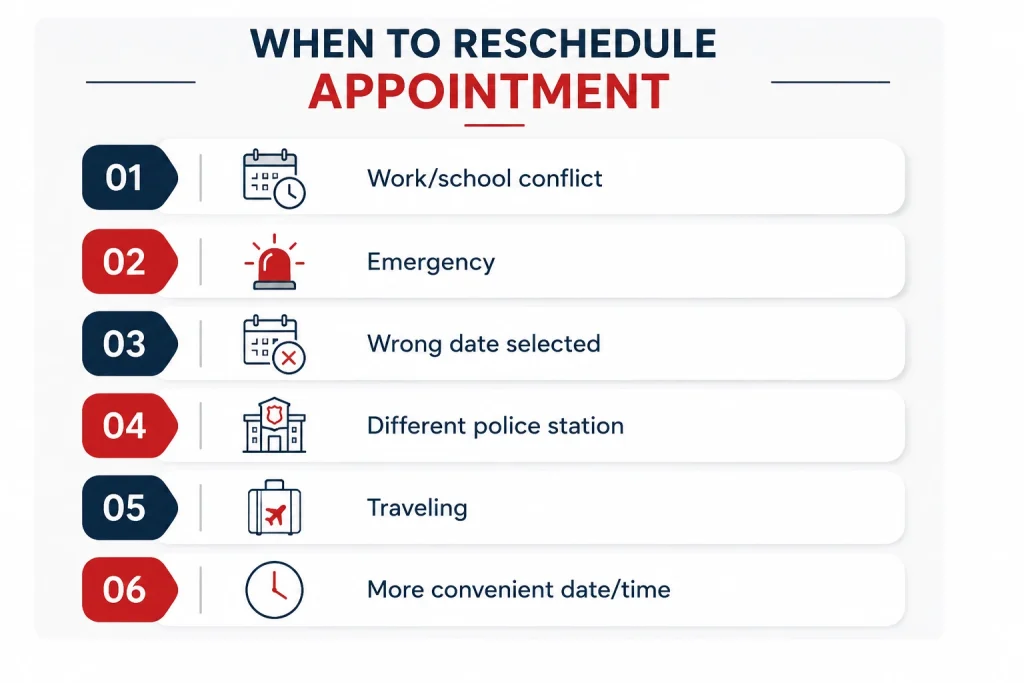
  • Your work or school schedule conflicts with the appointment.
  • You have a medical or family emergency.
  • You accidentally selected the wrong appointment date.
  • You want to visit a different police station.
  • You’ll be traveling on your scheduled appointment date.
  • You found a more convenient date or time.
when to reschedule police clearance appointment

Change appointment date in police clearance as soon as you know you can’t attend. The earlier you make the change, the more likely you are to find your preferred police station, date, and time before the available slots are taken. 

Also check: A detailed guide about how to pay police clearance via GCash. `

How to reschedule a police clearance Appointemnt?

Below is the step by step guide to reschedule PNP clearance appointment along with the screenshoots:


Step 1: Log In to Your NPCS Account
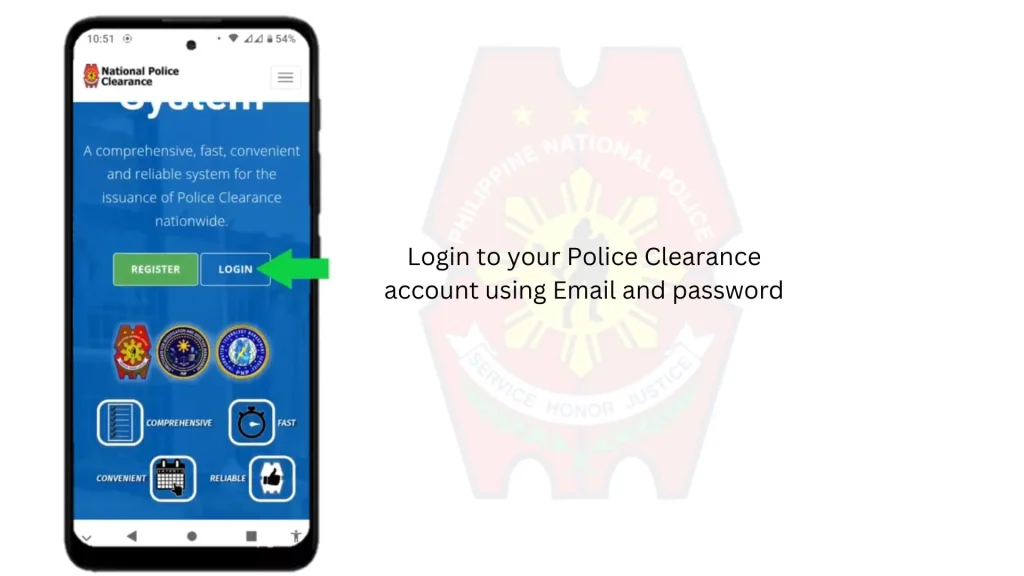
  • Log in to your National Police Clearance System (NPCS) account using your registered email address and password.
  • If you’ve forgotten your password, click Forgot Password, reset it, and then sign in to your account
Login to your Police Clearance account

Step 2: Open the Police Clearance Application
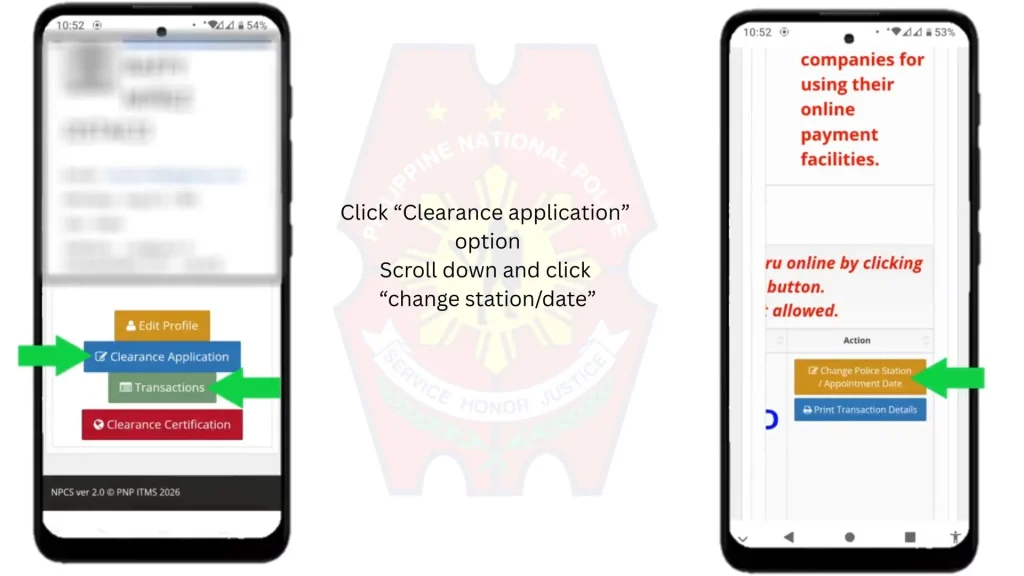
  • After logging in, you’ll be taken to the home page. Click Police Clearance Application from your dashboard.
  • Scroll down and click the Change Police Station/Date option to update your appointment.
the immage contains two screenshots showing the wa to change police clearance station and date

Step 3: Change Your Appointment Details
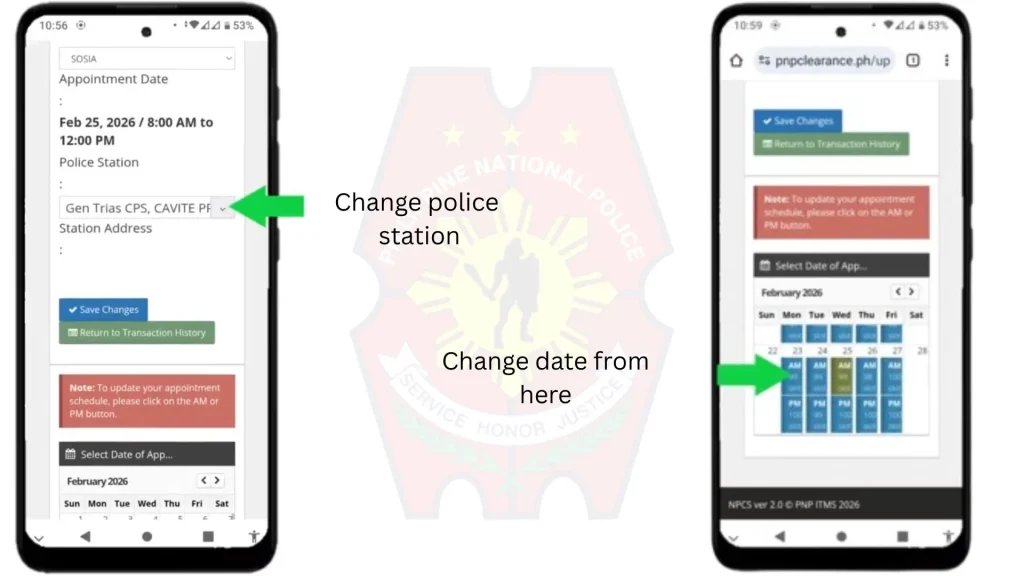
  • On the next page, you can change your police station if you want to visit a different location. Simply select your preferred station from the available list.
  • To reschedule your appointment, choose a new available date and time that suits your schedule. After making your changes, click Save to update your Police Clearance appointment. You can follow the same process for Police clearance renewal appointment.
change police station and date of police clearance apponitment

What Happens After You Reschedule Your Clearance Appointment?

After you click Save, your new appointment details will be updated in your NPCS account. Before leaving the page, check that your police station, appointment date, and time have been changed correctly.

On your appointment day, visit the selected police station according to your new schedule. Bring a valid government-issued ID and your appointment details to help ensure a smooth Police Clearance application process. After getting your clearance, use Police clearance verification system to verify your clearance online.

Tips for Rescheduling Your Police Clearance Appointment

Follow these simple tips to avoid any problems when changing your Police Clearance appointment:

  • Reschedule early. The earlier you update your appointment, the better your chances of getting your preferred police station, date, and time.
  • Check slot availability. If your first choice isn’t available, look for another nearby police station or a different date.
  • Review your details before saving. Make sure you’ve selected the correct police station, appointment date, and time.
  • Keep your appointment confirmation. After saving the changes, take a screenshot or print your updated appointment details for referene.
  • Dress Code: On the appointment date, bring all the required documents and follow the police clearance dress code.

FAQs

Yes. Log in to your National Police Clearance System (NPCS) account, open your Police Clearance Application, click Change Police Station/Date, choose a new schedule, and save your changes.

Yes. The NPCS portal allows you to update both your appointment date and your preferred police station from the Change Police Station/Date option, subject to slot availability.

No. Changing your appointment date or police station through the NPCS portal does not normally require an additional rescheduling fee.

If your preferred date is full, choose another available date or select a different police station with open appointment slots.

To cancel a Philippine Police Clearance appointment:

  • After payment: Contact your selected police station or PNP Clearance Support. Provide your reference number and payment receipt.
  • Before payment: Log in to the National Police Clearance System, open Appointment/Transaction History, select your appointment, and choose Cancel.

Conclusion

Rescheduling your Police Clearance appointment is a quick and simple process. To reschedule, just log in to your NPCS account, update your preferred police station or appointment date, and save the changes. Now your appointment is rescheduled sucessfully. 

This helps you avoid missing your appointment and keeps your application on track. Try to reschedule as early as possible so you have more available dates and police stations to choose from. Before your visit, review your updated appointment details and bring a valid ID to ensure a smooth Police Clearance application process.

Leave a Reply

Your email address will not be published. Required fields are marked *